Plasma displays excite me in ways that some might call unnatural
Plasma displays excite me in ways that some might call unnatural
Is it possible to learn this power?
Not from an OLED
Haha
Shocking.
Look into the Gridcase laptops
have a compaq portable III and a gridcase 1530... the gridcase laptops are suuuuper sexy... also have a planar plasma that takes 640x480 VGA but it's missing it's enclosure sadly.... plus a bunch of my pinball machines have their 128x32 orange plasma displays :)
Are, you, by any chance, related to CGP Grey?
CGP Grey
sadly no, neat channel though, reminds me of a less sarcastic casually explained
Amber is the one true display color.
The true hacker goes for amber. Only n3wbs go for green :D
I can't agree more though. Amber monochrome is just beautiful.
It’s so true. I’m a programmer who has spent way too much timing obsessing over building the perfect text editor color scheme.
Amber is the best choice for your eyes because it has zero blue spectrum, but is more legible and luminescent than pure red.
My color scheme is basically brown and amber with occasional green highlights, and I can spend way more time at the screen without getting fatigued.
Back in the day I had a Leading Edge 8088 with Hercules Graphics and an Amber Monitor. Not the greatest machine, but I do miss that display for some reason.
Sold one of these in ~ 1990. Man I wish I had that now. That and the Toshiba portable with the orange plasma. Regrets....
I got them both if you are talking about the Toshiba T3200...
Had to Google it, but yeah should have kept those. I think the lunchbox and the 3200 were NG sniffers that brought really good $$$, because the software was pegged to the MACs of the full length Ethernet and TR cards. IIRC those were unique NICs that had a promiscuous mode too.
The older I get the more I miss amber screens. Very easy on the eyes.
I tend to run my Apple II (using a VGA extender) on an amber mode. It's much more comfortable in low light situations.
Yes much better than the green phosphor, IMO.
Awesome! Could you please add details what this is? Some googling resulted in MicroOrchid PC III Portable. Did Compaq rebrand that?
Looks like a Compaq Portable III: https://en.wikipedia.org/wiki/Compaq_Portable_III
Compaq Portable III
The Compaq Portable III is a PC/AT-compatible computer released by Compaq Computer Corporation in 1987. It was advertised as being much smaller and lighter than the previous portable x86-PCs, however it was still quite large by today's standards. Three models were announced at release. The Model 1 had a list price of 3999 USD and was equipped with a 12 MHz Intel 80286, 640 KB RAM, 1.2 MB 5.25" floppy, and a 10" amber colored gas-plasma display.
^[ ^PM ^| ^Exclude ^me ^| ^Exclude ^from ^subreddit ^| ^FAQ ^/ ^Information ^| ^Source ^] ^Downvote ^to ^remove ^| ^v0.28
Your keyboard cord hasn't disintegrated. I think you're the only one!
I changed the cable last week. Check it out :) https://muzeuldecalculatoare.ro/2018/12/18/compaq-portable-iii-model-20/
My Compaq Portable III requires some sort of floppy to configure the bios and then boot (since the CMOS battery probably ran out of power). Is there a floppy image I can use to do that?
I can email you an image of the diakette
That would be great, I'll pm you with details.
Yes - that same type of project is in my future - just need to find a donor!
I've got one or two of those way back on the shelf. Even have the expansion chassis, allowing use of one or two full-size PC cards. 1/3rd height floppy drives, too, I think.
I remember my Dad bringing one of these home from work when I was a kid.
I really wish you could get a retro pc like this today but with some more modern parts.
Beautiful picture. Perfect title. My buddy had something like this, but with a tiny CRT display (still orange-on-black though).
I have one of these, it seems to boot but the screen is blank, is this a common fault? Is there a fix?
Need to replace the capacitors on the screen and hack the dallas battery to be sure. Sometimes it does not boot if no power in the battery!
What is it
The only thing better than orange gas plasma is red gas plasma.
I've seen a grand total of ONE red gas plasma display in my entire life, and I will kill whoever stands in my way if one is ever made available to me. :)
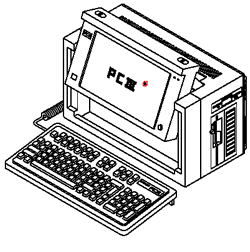
I worked on one of these for about a year as my primary machine, after my boss moved on to a newer one. They were really awesome - see if you can find the expnsion chassis that can attach to the back that lets you install full size ISA cards in it.
Funny story about this - these machines were made when HD's for personal computers were in their earlier years. They would unfortunately suffer from 'stiction' - if the drive were turned off and sat for a time, they wouldn't spin up again.
My boss (who was less technical than me, but an absolutelybrilliant coder and designers) had this happen on his Compaq III and was all sad. me "I think i know what the problem is.. umm, i'm going to do something unconventional, trust me?" "Sure" - so i picked up his machine and powered it up, and gave it a hard TWIST in the plane of the drive - hoping momentum would unstick the drive. It did, and you could hear the drive spin up.
Made serious geek points with my boss that day :)
Ahh, coding before Windows was a thing. Was a glorious time.
Yeah, another one I've seen done is to tap the SIDE of the drive (not the top) with a screwdriver handle. Not hard, just enough to free up a stuck spindle or a head that someone forgot to park.
Freezer method and 1/2" drops does the trick on more than a few frozen drives. Just make sure they don't have glass platters in them...
Ahhhh stiction. The lube on the platters would gum up and the heads would stick the them after it cooled down. I repaired hundreds of Seagate st-225 and 4096 "voice coil", and a few lines of Miniscribe drives only to see them come back with the same issue a year later. Sometimes the initial startup would rip the heads right off the stalks!!! No recovering that data due to having to servo write the platters. F for respect.
Really enjoyed the reading. Thank you!